
Employee Management Software – Employee 365
Simplify workforce administration with Employee 365, an employee management software that brings HR, payroll, attendance, leave, and duty shift management into one centralized platform.
Stop relying on disconnected employee records and separate administrative processes. Employee 365 gives HR teams a structured way to handle employee information, manage salary records, track attendance, administer leave policies, and oversee employee activities from a single admin panel.
Whether you operate a growing business or manage employees across multiple branches, Employee 365 brings essential workforce management functions together to make everyday HR administration more organized and accessible.
What Is Employee 365?
Employee 365 is an integrated HR management software designed to simplify employee administration and workforce operations. It combines six functional areas: HR Management, Payroll Management, Attendance Management, Leave Management, Duty Shift Management, and HR Reports.
The platform covers key employee management activities, from candidate management and onboarding to payroll processing, attendance records, leave administration, and employee exits.
By connecting these functions through one admin panel, Employee 365 gives businesses a centralized place to handle employee-related information instead of switching between separate administrative systems.
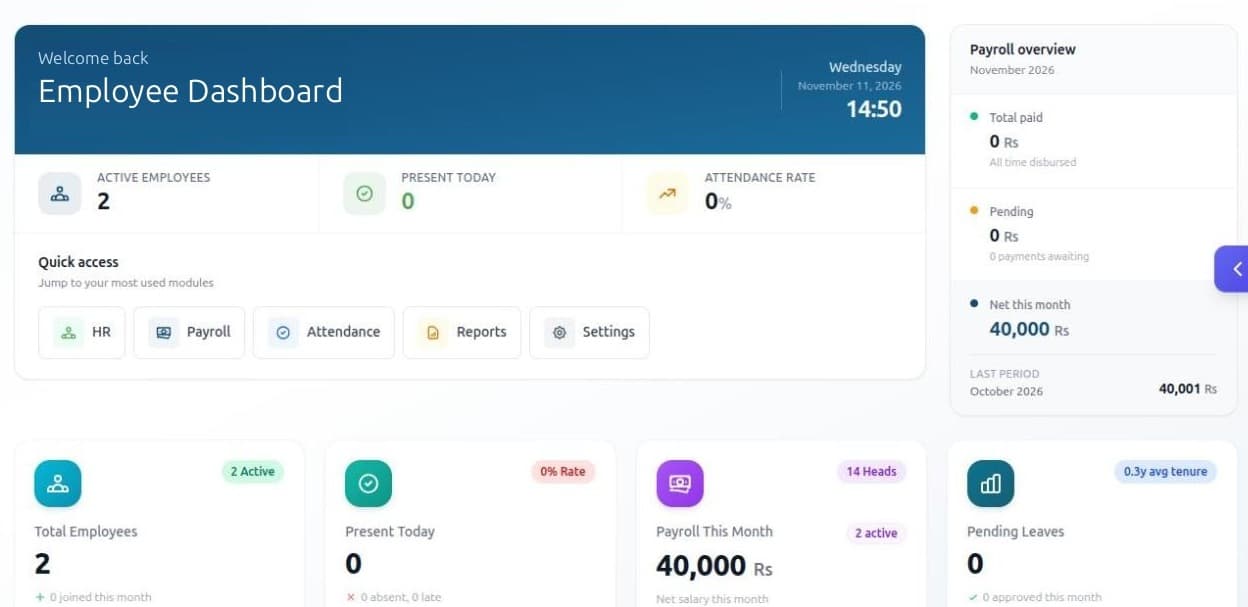
Employee 365 Features
Employee 365 helps businesses manage employee records, payroll, attendance, leave, and duty shifts through a single HR administration system.
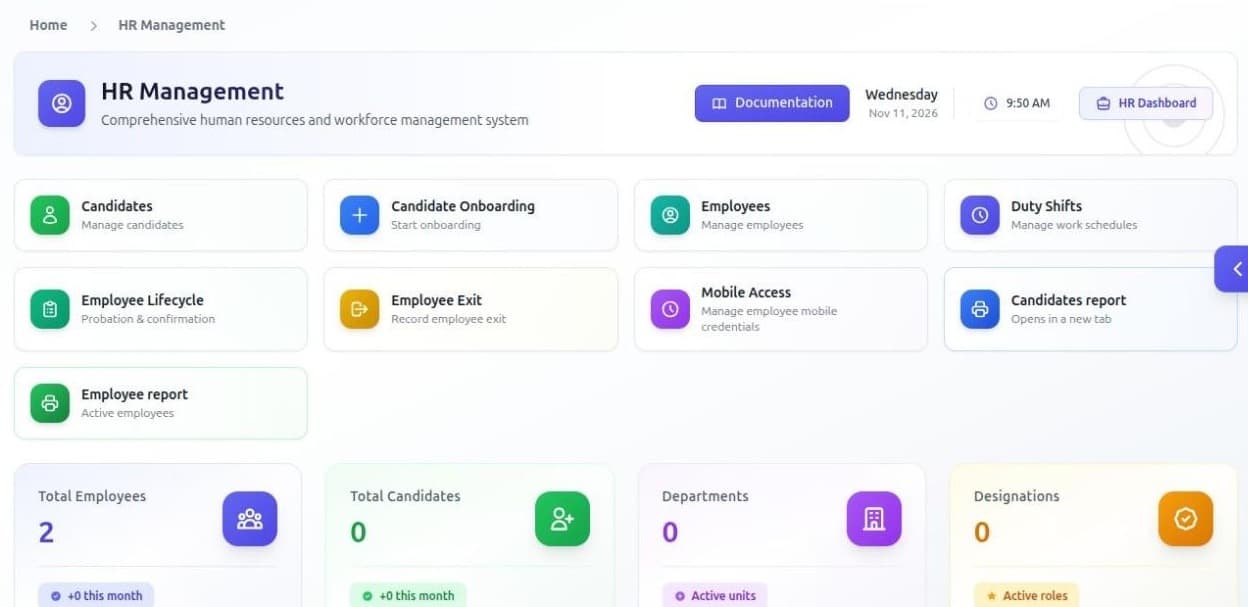
1. HR Management Software
Manage employee information and key HR activities, from recruitment and onboarding to employee exits.
01 / 08
Employee Management:
Store and access employee profiles and employment records.
02 / 08
Department Management:
Organize employees by department and maintain your company's team structure.
03 / 08
Branch Management:
Manage branch records and associate employees with their respective locations.
04 / 08
Designation Management:
Define employee positions and job titles to maintain a clear organizational hierarchy.
05 / 08
Candidate Management:
Store candidate information for recruitment and hiring activities.
06 / 08
Employee Onboarding:
Manage employee information during the joining process.
07 / 08
Employee Lifecycle Management:
Maintain employee records throughout their employment.
08 / 08
Employee Exit Management:
Record employee departures and related exit information.
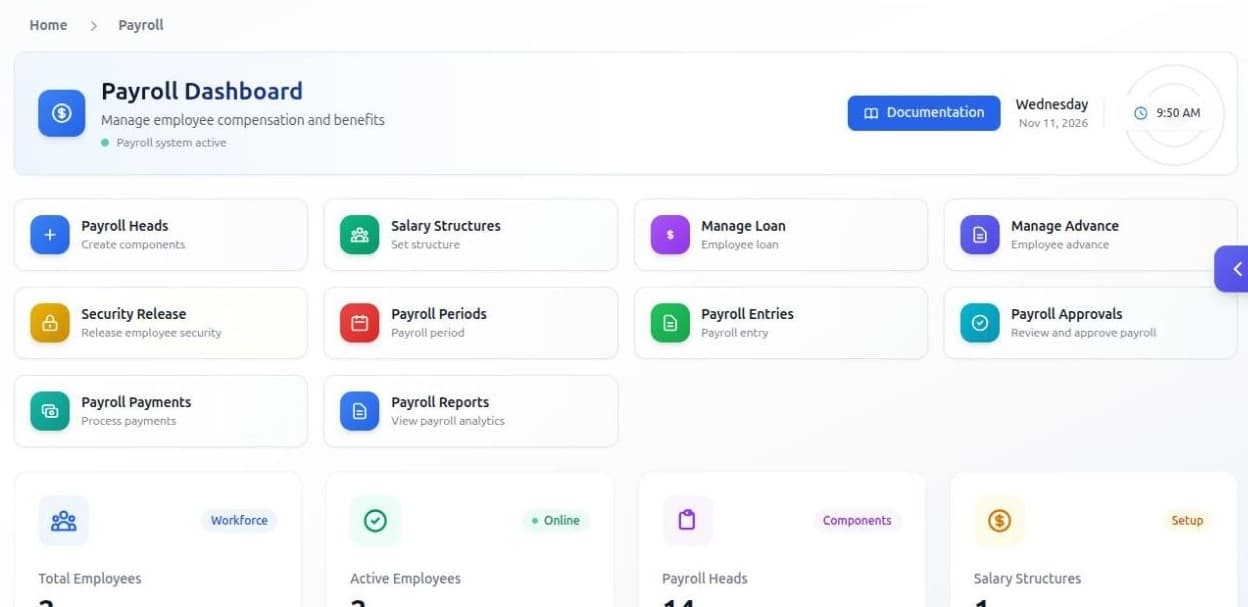
2. Payroll Management Software
Manage salary information and payroll activities, including salary structures, payslips, approvals, and payments.
01 / 07
Payroll Dashboard:
Access payroll functions from a single interface.
02 / 07
Payroll Heads:
Define salary components used in payroll calculations.
03 / 07
Salary Structures:
Set up and maintain employee salary details.
04 / 07
Payroll Periods:
Define payroll cycles and organize salary records by period.
05 / 07
Payslips and Payroll Entries:
Access employee payslips and related payroll entries.
06 / 07
Payroll Approvals:
Review and manage payroll entries through the approval process.
07 / 07
Salary Payments:
Manage salary payments and related records.
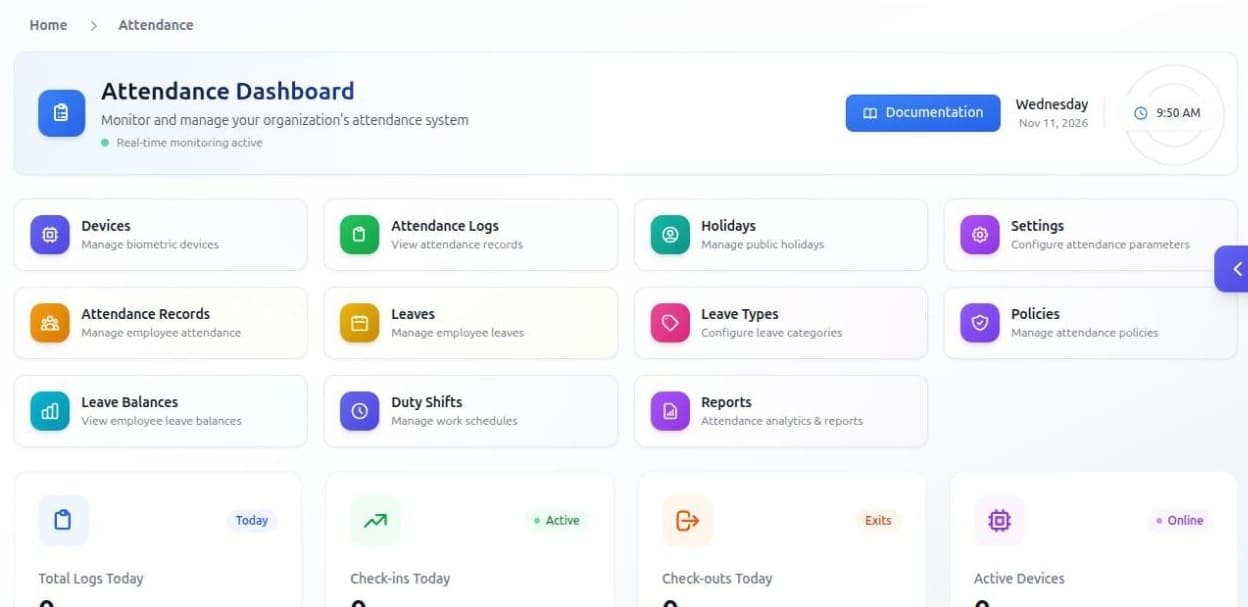
3. Attendance Management System
Manage employee attendance records, attendance devices, logs, and organizational holidays.
01 / 06
Attendance Dashboard:
Access attendance-related functions and records.
02 / 06
Attendance Devices:
Manage devices used in the attendance process.
03 / 06
Attendance Logs:
Review recorded employee attendance entries.
04 / 06
Holiday Management:
Maintain organizational holiday records.
05 / 06
Attendance Settings:
Configure attendance-related settings.
06 / 06
Employee Attendance:
Access attendance records for individual employees.
4. Leave Management Software
Manage employee leave categories, organizational policies, and individual leave balances.
01 / 04
Leave Types:
Define leave categories according to company requirements.
02 / 04
Leave Policies:
Set the rules that guide employee leave administration.
03 / 04
Employee Leave Balances:
Check leave balances recorded for individual employees.
04 / 04
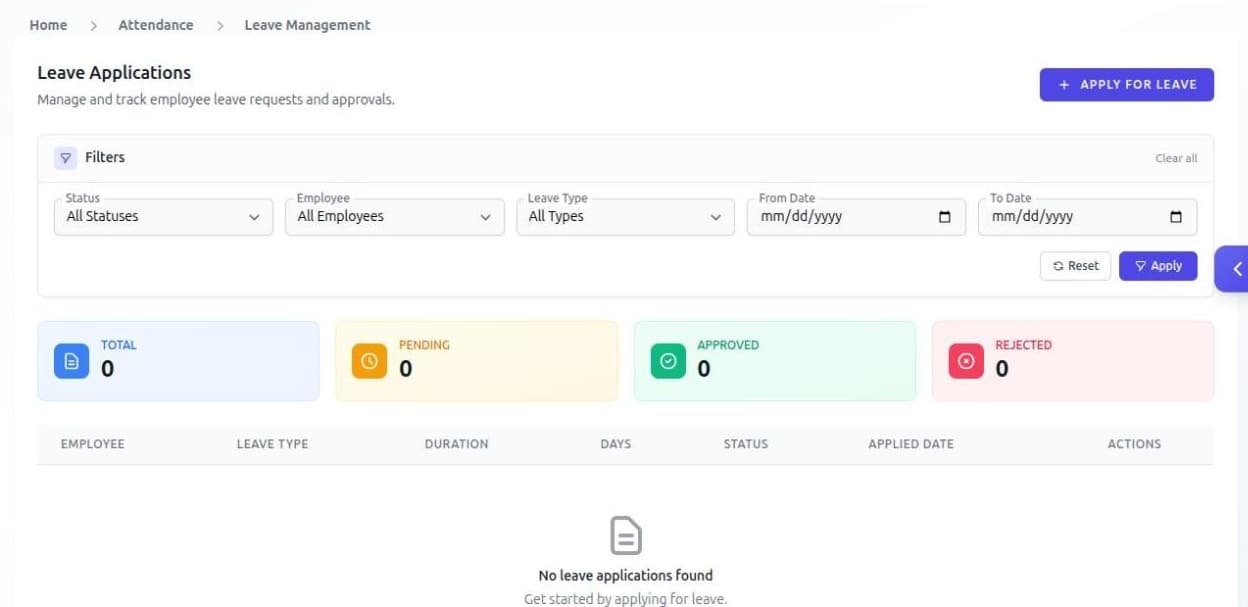
Leave Management:
Handle employee leave records through the leave management module.
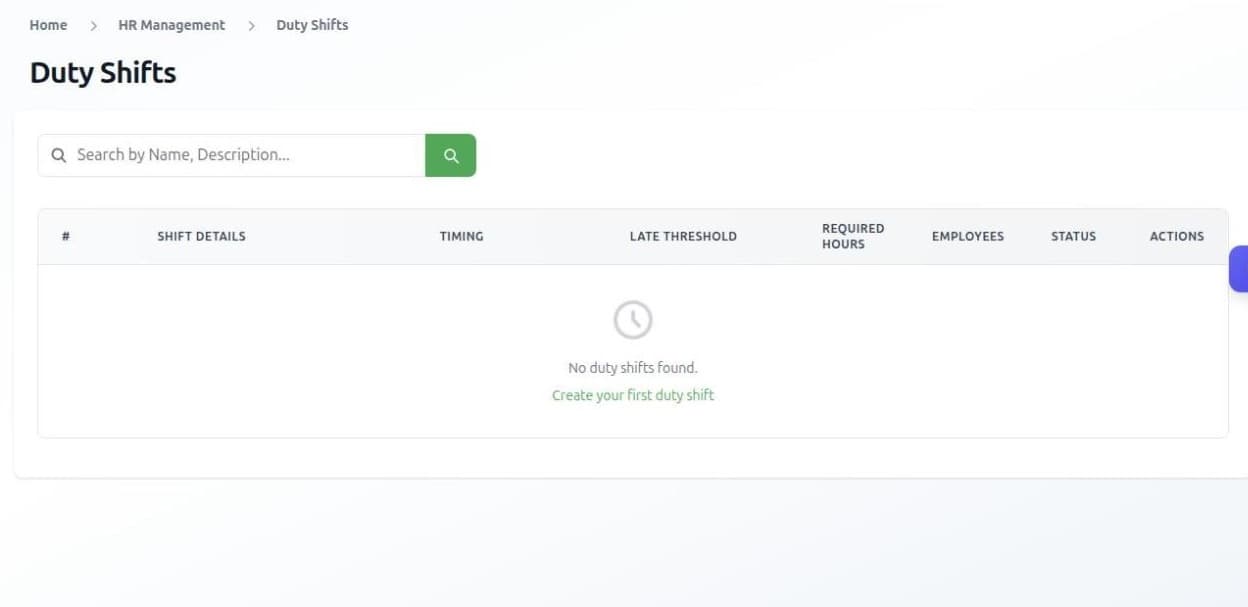
5. Duty Shift Management
Manage duty shift information through a dedicated section in the admin panel. Keep shift-related records alongside employee and attendance information.
6. HR Reports
Access the Reports section to review the reporting functionality available in Employee 365. A product demo can help you explore the available report categories and export options.
Request a Product Demo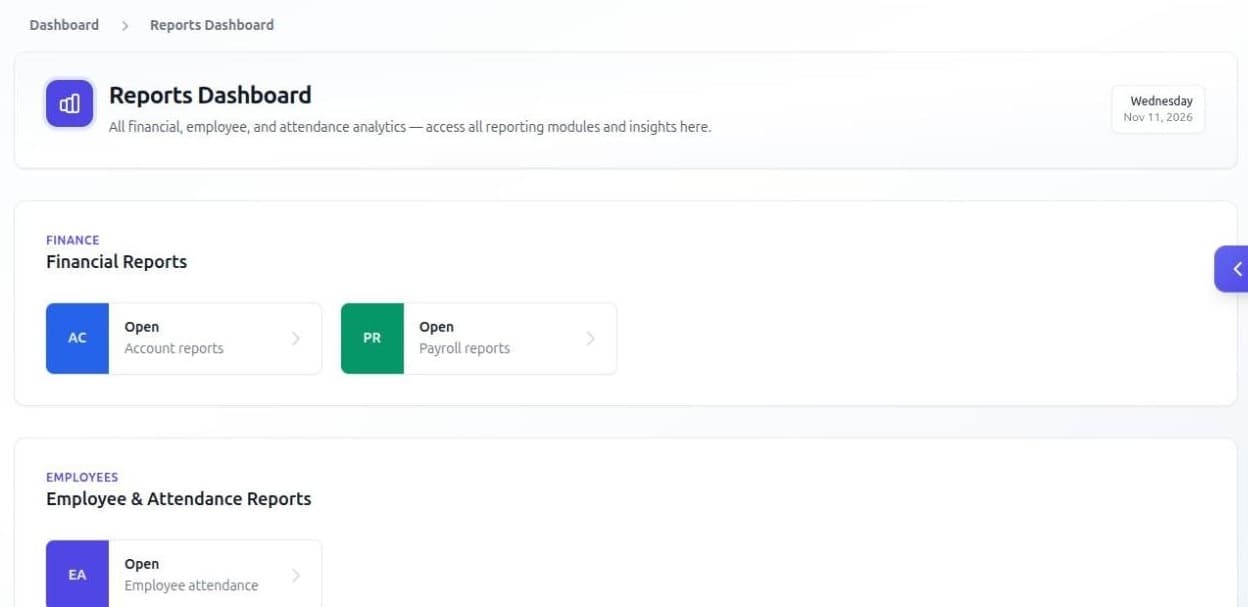
What Makes Employee 365 a Practical Choice for Workforce Management?
Employee 365 brings several related HR functions together rather than treating employee administration, payroll, attendance, and leave as completely separate activities.
Here are the product strengths that matter to businesses:
All Essential HR Functions in One Admin Panel
Employee 365 brings HR Management, Payroll, Attendance, Leave Management, Duty Shifts, and Reports into one platform. Businesses can access these functional areas without managing each as a completely separate software solution.
Employee Management Beyond Basic Records
The HR module covers candidate management, onboarding, employee lifecycle management, and employee exits. This gives HR teams a broader set of employee administration tools than a basic employee directory.
Connected Payroll Administration
Salary structures, payroll heads, payroll periods, payslips, approvals, and payments are included within the same payroll module. This provides a defined structure for handling different stages of payroll administration.
Attendance and Leave in the Same System
Attendance devices, attendance logs, holidays, leave policies, and employee leave balances are covered by dedicated modules. Keeping these functions within one employee management system gives HR teams a common place to access related workforce information.
Organizational Structure for Multiple Branches
Department, branch, and designation management help businesses reflect their organizational structure within the HR system.
How Does Employee 365 Work?
Employee 365 follows the main stages of workforce administration, from setting up an organization to handling ongoing employee activities.
Step 1: Set Up Your Organization
Define your branches, departments, and designations. Establish the organizational structure that will be used for employee administration.
Step 2: Add Employee and Candidate Information
Create employee records and handle candidate information. Use the onboarding and lifecycle functions as employees join and progress within the organization.
Step 3: Configure Payroll Information
Set up payroll heads, salary structures, and payroll periods. Use payslips, entries, approvals, and payments to handle payroll administration.
Step 4: Configure Attendance and Leave
Set up attendance-related settings, manage attendance devices and records, and define leave types and policies. Access employee leave balances and attendance information through their respective modules.
Step 5: Handle Duty Shifts and Review Reports
Access the Duty Shifts module for shift-related administration and use the Reports section to access available HR reporting functionality.
Who Can Benefit from Employee 365?
Employee 365 is designed for businesses that need dedicated tools for employee administration and everyday HR operations.
Small and Medium-Sized Businesses
Businesses with growing teams can bring employee records, payroll, attendance, and leave administration into one system instead of depending entirely on separate spreadsheets and documents.
Growing Companies
As departments, designations, and employee records expand, HR administration becomes more demanding. Employee 365 provides dedicated modules to handle these growing workforce requirements.
Multi-Branch Organizations
Businesses with different locations can use Branch Management alongside employee and department management to reflect their organizational structure within the system.
Organizations with Dedicated HR Teams
HR departments can access recruitment-related records, onboarding, employee lifecycle management, payroll, attendance, leave administration, and reporting from one admin panel.
Looking for an Employee Management System for Your Business?
Request a demo to explore the Employee 365 modules and see how they fit your HR requirements.
Frequently Asked Questions About Employee 365
1. How Much Does Employee 365 Cost?
Employee 365 pricing depends on the available licensing or subscription model. Contact the Employee 365 sales team for current pricing, available packages, and any applicable implementation charges.
2. How Long Does It Take to Set Up Employee 365?
Implementation time depends on your organization size, employee records, organizational structure, and configuration requirements. Contact the team for an estimated deployment timeline based on your business needs.
3. Is Employee 365 Cloud-Based or On-Premises?
The deployment model should be confirmed with the Employee 365 team. Contact sales to understand the available hosting and deployment options.
4. Does Employee 365 Support Biometric Attendance Devices?
Employee 365 includes an Attendance Devices section. However, specific biometric device compatibility, supported brands, and connection methods should be confirmed before implementation.
5. How Does Employee 365 Protect Employee Data?
Employee records and payroll information require appropriate access controls and data protection. Contact the product team for details about data encryption, user permissions, backups, hosting security, and compliance measures.
6. Can Employee 365 Handle Payroll for Different Salary Structures?
Employee 365 includes Payroll Heads and Salary Structures, allowing businesses to define salary-related components and maintain employee compensation structures. Specific payroll calculation rules should be confirmed with the product team.
7. Can Employee 365 Manage Employees Across Multiple Branches?
Yes. Employee 365 includes Branch Management, Department Management, and Designation Management to help businesses reflect their organizational structure within the system.
8. Does Employee 365 Include Leave Policy Management?
Yes. The Leave Management module includes Leave Types, Leave Policies, and Employee Leave Balances, giving HR administrators dedicated tools for leave administration.
9. Can I Get a Demonstration Before Purchasing Employee 365?
Contact the Employee 365 team to arrange a product demonstration and explore the available HR, payroll, attendance, and leave management functionality.
Simplify Workforce Administration with Employee 365
Your HR team should spend less time dealing with disconnected employee records and more time handling the people and processes that keep your business running.
Employee 365 brings employee management, payroll, attendance, leave administration, duty shifts, and HR reporting into one centralized platform.
Explore the software, review its modules, and find out how Employee 365 can fit into your organization's HR operations.